Introduction: What is JSON Server?
In the fast-paced world of web development, front-end teams often find themselves waiting for the backend API to be ready. This dependency can slow down development, testing, and prototyping. This is where a mock API comes into play, and JSON Server is an excellent tool for the job.
JSON Server allows you to quickly set up a full fake REST API with zero coding in less than a minute. It’s perfect for:
- Rapid front-end prototyping without a real backend.
- Testing your front-end components against consistent data.
- Learning how to interact with RESTful APIs.
How to Set Up a Mock API with JSON Server
Let’s dive into the step-by-step process of creating your own mock API.
Prerequisites
Before you begin, ensure you have Node.js and npm (Node Package Manager) or Yarn installed on your system. You can download Node.js from its official website.
Step 1: Install JSON Server
Open your terminal or command prompt and run the following command to install JSON Server globally:
npm install -g json-serverThis command makes the json-server command available system-wide.
Step 2: Create Your Data File (db.json)
Next, create a simple JSON file that will serve as your database. Name it db.json in your project directory. Here’s an example:
{
  "posts": [
    { "id": "1", "title": "JSON Server Tutorial", "author": "Alice" },
    { "id": "2", "title": "Mock API Best Practices", "author": "Bob" }
  ],
  "comments": [
    { "id": "1", "body": "Great post!", "postId": "1" }
  ],
  "profile": { "name": "typicode" }
}
In this file, each top-level property (posts, comments, profile) will become a resource endpoint.
Step 3: Start JSON Server
Navigate to the directory containing your db.json file in your terminal and run JSON Server:
json-server --watch db.jsonYou should see output indicating that JSON Server is running, typically on http://localhost:3000. It will automatically create REST endpoints for your data:
http://localhost:3000/postshttp://localhost:3000/commentshttp://localhost:3000/profile
The --watch flag ensures that any changes you make to db.json are automatically reloaded by the server.
Step 4: Making Requests to Your Mock API
Now that your mock API is running, you can interact with it using standard HTTP methods:
GET Requests
To fetch all posts:
GET http://localhost:3000/postsTo get a specific post by ID:
GET http://localhost:3000/posts/1To filter posts by author:
GET http://localhost:3000/posts?author=AlicePOST Requests
To create a new post:
POST http://localhost:3000/posts
Content-Type: application/json
{ "title": "New Article", "author": "Charlie" }
PUT/PATCH Requests
To update an existing post (PUT replaces, PATCH updates specific fields):
PUT http://localhost:3000/posts/1
Content-Type: application/json
{ "id": "1", "title": "Updated Title", "author": "Alice" }
DELETE Requests
To delete a post:
DELETE http://localhost:3000/posts/1Why JSON Server is a Game-Changer for Development
Using JSON Server for your mock APIs offers several significant advantages:
- Speed and Simplicity: Set up a full REST API in minutes without writing any backend code.
- Frontend Autonomy: Front-end developers can work independently, without waiting for backend development.
- Consistent Testing: Provides a predictable and consistent data source for unit and integration tests.
- Real-time Updates: The
--watchflag ensures your mock API reflects changes to yourdb.jsoninstantly. - Flexible: Supports full CRUD operations, pagination, filtering, sorting, and even relationships.
Conclusion
JSON Server is an indispensable tool for modern front-end development, offering a powerful yet simple way to create mock APIs quickly. By following this how-to guide, you can significantly accelerate your development workflow, improve testing, and facilitate seamless collaboration between front-end and back-end teams. Give it a try on your next project and experience the difference!
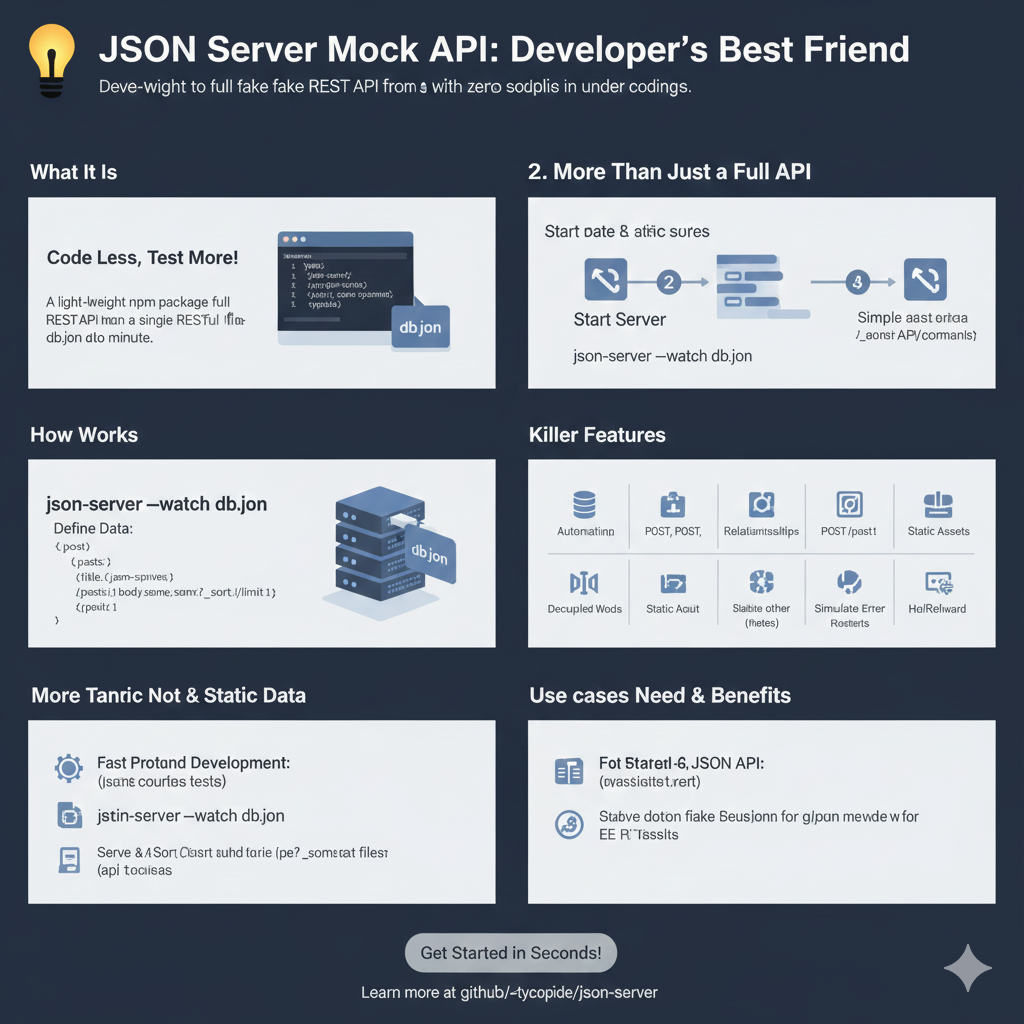
“JSON Server Mock API: Developer’s Best Friend”
This infographic explains why JSON Server is a favored tool for frontend development and testing.
1. What It Is: Code Less, Test More!
- Definition: JSON Server is a light-weight npm package that provides a full REST API from a single
db.jsonfile in about a minute. - Simple Data: The API data is defined in a JSON object, such as:JSON
{ "posts": [ { "id": 1, ... } ], "users": [...] }
2. How It Works
The tool automatically translates the JSON file structure into usable REST endpoints.
- Command: Running
json-server --watch db.jsonstarts the mock server. - Endpoints: Based on the data defined in
db.json, it serves resources at endpoints like/postsand/users. - Querying: It supports standard RESTful operations and querying, such as:
GET /posts?title={json-server}GET /posts?_sort=views&_limit=1
3. Killer Features
JSON Server offers several features that mimic a real backend without complex setup.
- Full REST Support: Handles POST, PUT, PATCH, DELETE requests, automatically persisting changes to
db.json. - Relations/Associations: Can handle relationships between different resources (e.g., a post having an author ID).
- Simulate Errors: Ability to introduce artificial latency or failure responses.
- Static Assets: Serves static files alongside the API.
4. Use Cases, Needs & Benefits
The main utility is supporting parallel development and testing.
- Fast Frontend Development: Enables developers to start coding the frontend immediately, without waiting for the backend.
- Unit & Integration Testing: Provides a stable fixture (reliable, testable data) for running UI or integration tests repeatedly.
learn for more knowledge
Json Parser ->What is JSON Parser Online? Complete Guide for Beginners – json parse
Json web token ->What Is JWT Token? (JSON Web Token Explained for Beginners) – json web token
Json Compare ->JSON Comparator, Online JSON Diff, JSON Compare Tool – online json comparator
MyKeyword rank ->Best Strategies to Rank on Google’s First Page in 2025 (Complete SEO Guide) – keyword rank checker
Leave a Reply