How to Create Fake JSON API Online for Faster Development
In modern web development, front-end and back-end teams often work in parallel. However, the front-end frequently faces a dependency: waiting for the back-end API to be ready. This is where fake JSON APIs come to the rescue. A fake JSON API allows front-end developers to simulate real API responses, enabling them to build and test user interfaces independently and efficiently.
This guide will show you how to quickly create and utilize fake JSON APIs online, boosting your development workflow and ensuring smooth project progression.
Why Use a Fake JSON API?
Using a mock or fake API offers several significant advantages:
- Parallel Development: Front-end development can start immediately without waiting for the back-end to finish its API implementation.
- Independent Testing: Allows for robust testing of front-end components and features against predictable data, isolating them from potential back-end bugs or downtime.
- Rapid Prototyping: Quickly build and demonstrate UI concepts to stakeholders with realistic data, even before any back-end code is written.
- Reduced Dependencies: Minimizes blockages and streamlines the development process by decoupling front-end from back-end availability.
- Cost-Effective: No need to spin up actual servers or databases for initial development and testing phases.
Popular Online Tools to Create Fake JSON APIs
Several excellent online services allow you to create fake JSON APIs with minimal effort. Here are some of the most popular options:
- JSONPlaceholder: A free online REST API that you can use whenever you need some fake data. It offers common resources like posts, comments, albums, photos, and users.
- MockAPI: A simple tool to create custom mock APIs, generate data, and perform CRUD operations directly from a UI or via API calls.
- Beeceptor: Allows you to mock APIs, inspect HTTP requests, and create dynamic responses. Great for testing webhooks and integrating third-party services.
- Reqres.in: A hosted REST API ready to respond to your AJAX requests. Provides common endpoints for users (create, read, update, delete).
Step-by-Step: Using JSONPlaceholder as an Example
Let’s walk through a quick example using JSONPlaceholder, one of the simplest and most widely used options for static fake data.
JSONPlaceholder provides a set of pre-defined routes you can use:
GET /posts– Get all postsGET /posts/1– Get a single postGET /posts/1/comments– Get comments for a postPOST /posts– Create a new post
Here’s how you might fetch data from JSONPlaceholder in your JavaScript application:
fetch('https://jsonplaceholder.typicode.com/posts/1')
  .then(response => response.json())
  .then(json => {
    console.log('Fetched Post:', json);
    // Update your UI with the fetched data
    document.getElementById('post-title').innerText = json.title;
    document.getElementById('post-body').innerText = json.body;
  })
  .catch(error => console.error('Error fetching post:', error));
The expected JSON response for GET /posts/1 would look like this:
{
  "userId": 1,
  "id": 1,
  "title": "sunt aut facere repellat provident occaecati excepturi optio reprehenderit",
  "body": "quia et suscipit\nsuscipit recusandae consequuntur expedita et cum\nreprehenderit molestiae ut ut quas totam\nnostrum rerum est autem sunt rem eveniet architecto"
}
Beyond Static Data: Creating Custom Fake APIs with MockAPI
If you need more control over your data, custom endpoints, or the ability to simulate CRUD operations, services like MockAPI are ideal. With MockAPI, you can:
- Define your own resources (e.g.,
/products,/users,/orders). - Add custom fields and data types.
- Generate realistic data automatically.
- Perform
GET,POST,PUT,DELETEoperations just like a real API.
Most of these tools offer an intuitive UI where you define your data schema and then generate a unique API endpoint that you can use in your application.
Conclusion
Creating fake JSON APIs online is an invaluable technique for any front-end developer or team looking to accelerate their development cycle and improve testing efficiency. Whether you need simple static data or fully customizable mock APIs with CRUD capabilities, the online tools available today make it incredibly easy to simulate back-end services. Embrace this approach to build more robust applications faster and with fewer dependencies.
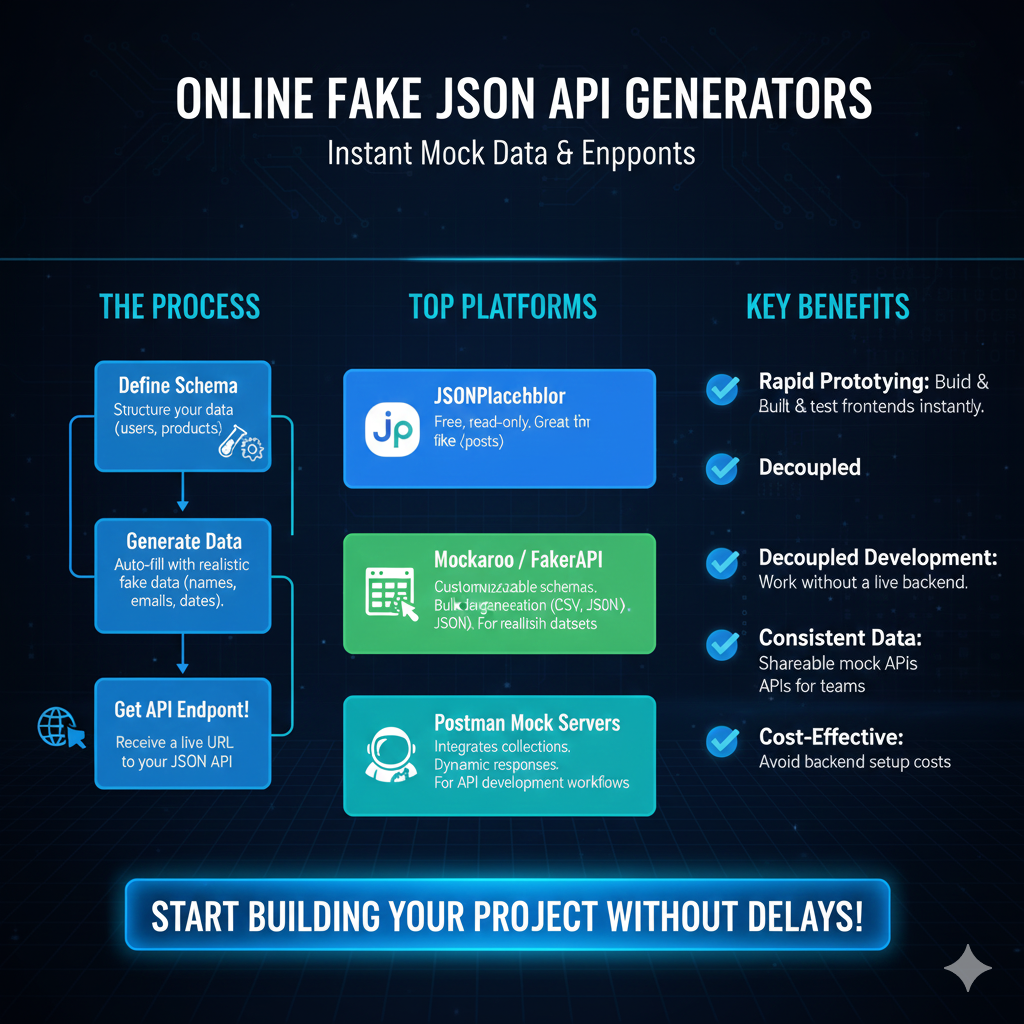
Online Fake JSON API Generators
I. The Process (Workflow)
This section shows the three linear steps for generating a mock API:
- Define Schema: Structure your data (e.g., users, products).
- Generate Data: Auto-fill the schema with realistic fake data (e.g., names, emails, dates).
- Get API Endpoint!: Receive a live URL to your JSON API.
II. Top Platforms
This highlights common tools used for online JSON mocking:
- JSONPlaceholder: Free, read-only. It is great for basic fake posts.
- Mockaroo / FakerAPI: Offers customizable schemas. It is suitable for bulk data generation (e.g., CSV, JSON) and realistic datasets.
- Postman Mock Servers: Integrates with Postman collections. It provides dynamic responses for API development workflows.
III. Key Benefits
This explains the advantages of using online mock generators:
- Rapid Prototyping: Build and test frontends instantly.
- Decoupled Development: Work without a live backend.
- Consistent Data: Offers shareable mock APIs for teams.
- Cost-Effective: Helps avoid backend setup costs.
learn for more knowledge
Json parser-> How to express json body parser- A Complete Guide – json parse
Json web token ->How to Use token jwt (JSON Web Tokens) for Secure Authentication – json web token
Json Compare ->Compare JSON File Online: Your Essential JSON Diff and Format Guide – online json comparator
Mykeywordrank-> Search Optimization SEO: Master Search Engine Optimization for Top Rankings – keyword rank checker
Leave a Reply