Introduction: The Power of Dummy JSON URLs
In the fast-paced world of web development, efficiency is key. Often, frontend developers need to build interfaces and integrate with APIs before the backend is fully ready. This is where dummy JSON URLs become an indispensable tool. A dummy JSON URL provides a fake, but functional, API endpoint that returns structured JSON data, allowing developers to simulate real API responses without a live backend.
This guide will walk you through what dummy JSON URLs are, why they are crucial, where to find them, and most importantly, how to use a dummy JSON URL effectively in your projects.
Why Developers Rely on Dummy JSON URLs
Dummy JSON URLs serve several critical purposes in the development lifecycle:
Accelerated Frontend Development
Frontend teams can start building user interfaces and logic that consume API data even when the backend development is still in progress or not yet started. This parallel development significantly speeds up the project timeline.
Robust API Testing
Before integrating with a live API, developers can use dummy data to test their application’s data handling, error states, and display logic. This ensures the frontend behaves as expected under various data conditions.
Prototyping and Demos
For quick prototypes or client demos, dummy JSON URLs allow you to showcase functionality with realistic-looking data without the overhead of setting up a full-fledged backend database and API.
Where to Find and Create Dummy JSON URLs
There are several ways to get your hands on dummy JSON data:
Popular Online Services
- JSONPlaceholder: A free fake API for testing and prototyping. It provides common resources like posts, comments, albums, photos, and users. Example:
https://jsonplaceholder.typicode.com/posts/1 - Reqres.in: A hosted REST-API ready to respond to your AJAX requests with static and dynamic data.
- MockAPI.io: Allows you to create custom mock APIs with a simple interface, generating unique endpoints for your specific data needs.
- JSON Generator: Helps you generate random JSON data based on a defined schema.
Local Mock Servers or Files
For more control or specific data scenarios, you can set up a local mock server using tools like json-server (NPM package) or simply create static .json files in your project and serve them locally. This approach is ideal for complex data structures or when you need to simulate specific error responses.
How to Use a Dummy JSON URL in Your Code
Let’s look at a common example using JavaScript’s fetch API to retrieve data from a dummy JSON URL. This method is widely used for making network requests in modern web applications.
Example: Fetching Data with JavaScript
This code snippet demonstrates how to make a GET request to a dummy endpoint and log the JSON response to the console. We’ll use JSONPlaceholder for this example.
fetch('https://jsonplaceholder.typicode.com/posts/1')
  .then(response => response.json())
  .then(json => console.log(json))
  .catch(error => console.error('Error fetching data:', error));
When executed, this code will fetch the first post object from JSONPlaceholder and print its content to your browser’s developer console.
Example: Displaying Data on a Web Page
You can also use the fetched data to dynamically update content on your web page. Assume you have a <div id="post-container"></div> in your HTML.
async function fetchAndDisplayPost() {
  try {
    const response = await fetch('https://jsonplaceholder.typicode.com/posts/2');
    if (!response.ok) {
      throw new Error(`HTTP error! status: ${response.status}`);
    }
    const post = await response.json();
    const container = document.getElementById('post-container');
    if (container) {
      container.innerHTML =
        `<h3>${post.title}</h3>` +
        `<p>${post.body}</p>`;
    }
  } catch (error) {
    console.error('Failed to fetch post:', error);
  }
}
fetchAndDisplayPost();
This async function fetches a post and inserts its title and body into the specified HTML container, simulating how you’d display real API data.
Best Practices for Using Dummy JSON URLs
- Always verify the reliability and security of any public dummy JSON services you use, especially in production-like environments.
- Use unique data for different test cases to avoid confusion and ensure comprehensive testing.
- Consider creating your own local dummy JSON files for complex scenarios, large datasets, or offline development.
- Integrate dummy URLs seamlessly into your development workflow. Tools like environment variables can help you switch between dummy and real API endpoints easily.
- Document your dummy data structures and endpoints for team collaboration.
Conclusion
Dummy JSON URLs are an indispensable tool in a developer’s toolkit, offering flexibility, speed, and efficiency in web development and testing. By mastering their use, you can significantly streamline your workflow, accelerate project delivery, and build more robust applications. Start incorporating them into your development process today and experience the benefits firsthand!
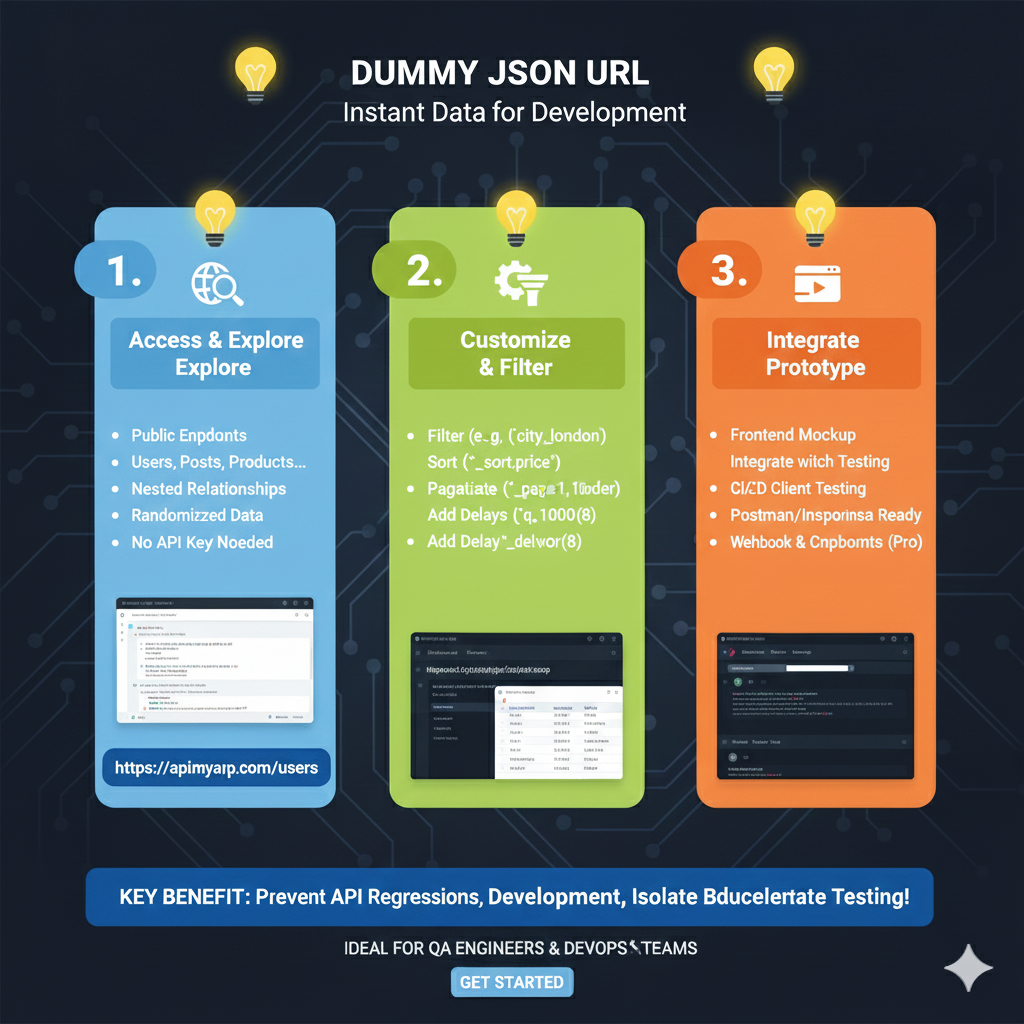
The Mock Endpoint Lifecycle
This approach focuses on speed and accessibility, providing immediate URLs that behave like real RESTful services.
1. Define & Design (Blue)
Before hitting the URL, the structure of the data must be established:
- Custom Schema Creation: Developers can build specific data structures or import existing ones from JSON/YAML files.
- Relationship Modeling: Define how different entities (e.g., users, posts, comments) interact within the mock environment.
- Visual Builder: Utilize a Visual Builder & Editor to refine data types and field names without manually writing large JSON files.
2. Populate & Deploy (Green)
This section explains how the data is hosted and accessed via a unique URL:
- Dynamic Data Ingestion: Use Faker Integration to fill the API with realistic names, addresses, and images.
- Instant URL Generation: With One-Click Deployment, the tool generates a public URL (e.g.,
api.mocky.io/v3/abc...) that is ready for requests. - State Management: The interface allows for tracking changes, showing exactly what has been Added, Removed, or Modified in the dataset.
3. Access & Test (Orange)
The final stage is the practical application of the dummy URL in your development environment:
- Full CRUD Support: The generated URL supports standard operations including GET, POST, PUT, and DELETE.
- Advanced Simulation: Test your app’s resilience by simulating Network Latency, pagination, and custom filtering.
- Error Handling: Configure the URL to return specific HTTP status codes (like 404 or 500) to ensure your frontend handles failures gracefully.
- Automation: Integrate these URLs into your CI/CD pipeline for isolated, predictable testing.
learn for more knowledge
Mykeywordrank-> SEO Search Engine Optimization: Mastering the Search Engine for Traffic – keyword rank checker
json web token->Understand JWT-The Complete Guide to JSON Web Token and Web Token Security – json web token
Json Compare ->api response comparison tool – The Ultimate Guide to compare with a json compare tool and json diff tool – online json comparator
Json parser->How to json data parse: A Comprehensive Guide for Developers – json parse
Leave a Reply