Introduction: The Developer’s Best Friend
In the fast-paced world of web development, waiting for a fully functional backend API can often slow down your progress. This is where fake API JSON data comes to the rescue, acting as an indispensable tool for frontend developers, testers, and even backend engineers.
What is Fake API JSON Data?
Fake API JSON data refers to simulated or mock data structured in JSON (JavaScript Object Notation) format, designed to mimic the responses of a real API. Instead of connecting to a live server that might not yet exist or be stable, you can fetch this placeholder data to build and test your application’s user interface and logic.
Why Use Fake API JSON Data?
- Rapid Prototyping: Quickly build out your UI without waiting for backend development to complete.
- Independent Development: Front-end and back-end teams can work in parallel, reducing dependencies.
- Robust Testing: Create specific test scenarios, including edge cases and error responses, without impacting live data.
- Offline Development: Continue working on your application even without an internet connection by serving local fake data.
- Reduced API Calls: Save your API quotas during extensive development and testing cycles.
How to Get Fake API JSON Data Effortlessly
There are several effective methods to acquire fake API JSON data, ranging from online services to local generation tools.
Method 1: Leverage Online Services
These services provide ready-to-use REST APIs that return fake JSON data, perfect for quick prototyping and testing.
JSONPlaceholderA widely popular free fake REST API for testing and prototyping. It offers various endpoints for posts, comments, users, and more.Example Request:
fetch('https://jsonplaceholder.typicode.com/posts/1')
  .then(response => response.json())
  .then(json => console.log(json));
/*
Output:
{
  "userId": 1,
  "id": 1,
  "title": "sunt aut facere repellat provident occaecati excepturi optio reprehenderit",
  "body": "quia et suscipit\nsuscipit recusandae consequuntur expedita et cum\nreprehenderit molestiae ut ut ... "
}
*/
MockAPI.ioAllows you to create custom mock APIs easily. You define your data schema, and it generates an API endpoint for you to use. Great for more complex data structures.
Reqres.inA simple hosted REST-API that responds to your requests. Provides user data, successful/unsuccessful responses for various HTTP methods, making it ideal for testing CRUD operations.
Method 2: Generate Data Locally with NPM Packages
For more control, dynamic data, or offline work, generating fake data locally is an excellent approach.
Faker.js (@faker-js/faker)A library for Node.js and browsers that generates massive amounts of realistic fake data (names, addresses, dates, lorem ipsum, etc.). You can use it to populate your custom JSON data.Example: Generating a list of fake users
const { faker } = require('@faker-js/faker');

function createRandomUser() {
  return {
    id: faker.string.uuid(),
    username: faker.internet.userName(),
    email: faker.internet.email(),
    avatar: faker.image.avatar(),
    password: faker.internet.password(),
    registeredAt: faker.date.past(),
  };
}

const users = faker.helpers.multiple(createRandomUser, { count: 5 });
console.log(JSON.stringify(users, null, 2));
JSON ServerA fantastic tool that allows you to create a full fake REST API in less than a minute. You just need a JSON file, and JSON Server will serve it up with full CRUD capabilities.Steps:
npm install -g json-server
Create adb.jsonfile:{
"posts": [
{ "id": 1, "title": "json-server", "author": "typicode" }
],
"comments": [
{ "id": 1, "body": "some comment", "postId": 1 }
]
}
Run:json-server --watch db.jsonNow you can access
http://localhost:3000/postsandhttp://localhost:3000/comments.
Method 3: Manually Create Simple JSON Files
For very small projects or specific, unchanging data, simply creating a .json file and serving it statically (e.g., from your project’s public folder) can be the quickest solution.
// data.json
{
  "products": [
    { "id": "p001", "name": "Laptop", "price": 1200 },
    { "id": "p002", "name": "Mouse", "price": 25 }
  ],
  "categories": [
    { "id": "c001", "name": "Electronics" }
  ]
}
Conclusion
Leveraging fake API JSON data is a powerful strategy to accelerate your development workflow, improve testing, and foster independent team collaboration. Whether you choose an online service like JSONPlaceholder, a local generator like Faker.js with JSON Server, or a simple manual file, integrating fake data into your process will undoubtedly boost your productivity and ensure a smoother development journey. Start incorporating these techniques today to streamline your projects!
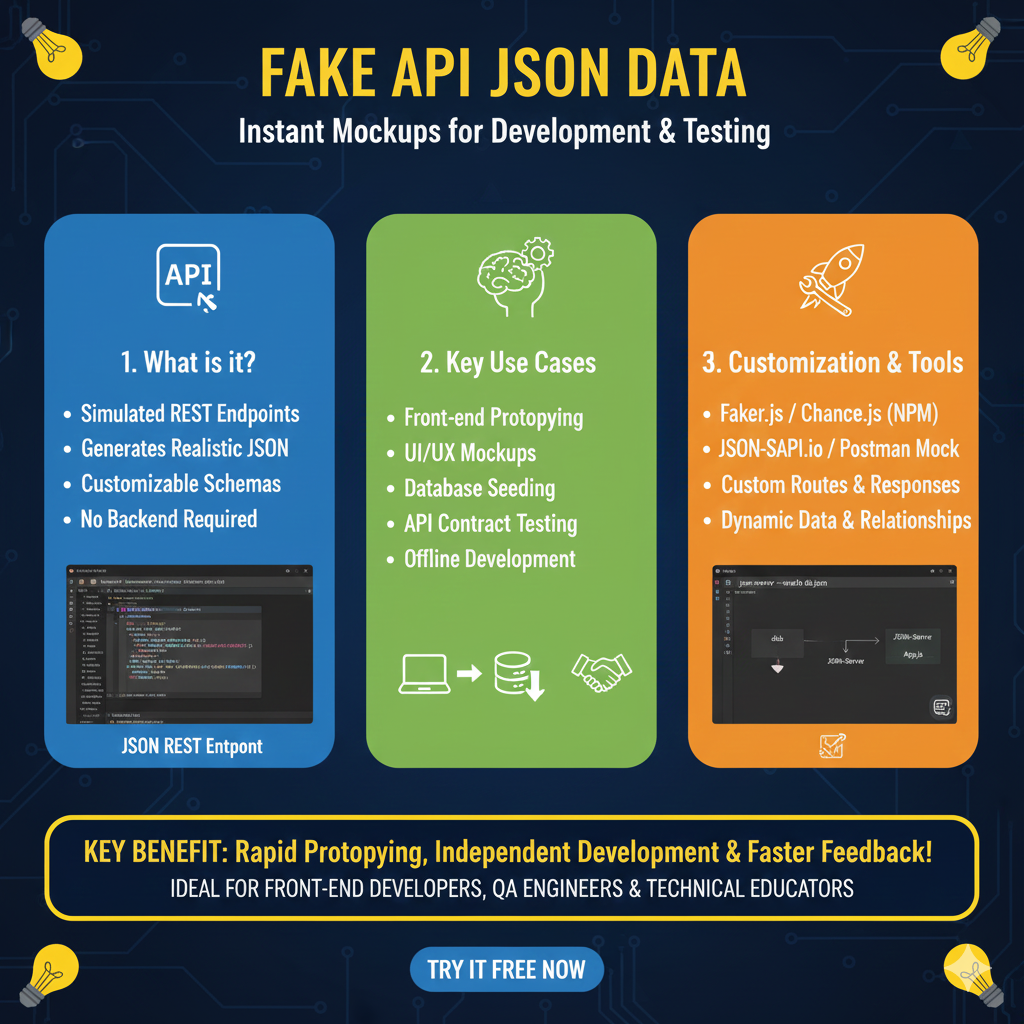
The infographic titled “FAKE API JSON DATA: Instant Mockups for Development & Testing” provides a roadmap for using simulated REST endpoints to accelerate the software building process without needing a completed backend.
🚀 The Fake API Data Framework
This guide breaks down the value of mock data into three essential pillars for modern development teams:
1. What is it? (Blue)
This section defines the core characteristics of fake API services:
- Simulated REST Endpoints: These act as placeholders for actual server responses, allowing front-end teams to work in parallel with back-end teams.
- Generates Realistic JSON: The data looks and behaves like real production data, including proper types and structures.
- Customizable Schemas: Developers can define the exact structure of the data they need to match their application’s specific requirements.
- No Backend Required: Eliminates the dependency on a live server, reducing setup time and infrastructure costs during early development phases.
2. Key Use Cases (Green)
This module explores how these mockups are applied across the development lifecycle:
- Front-end Prototyping: Quickly build and iterate on user interfaces with live-acting data.
- UI/UX Mockups: Populates design prototypes with realistic content to better understand user flow and layout.
- Database Seeding: Provides a reliable source of data to populate local databases for testing.
- API Contract Testing: Ensures that the front-end handles specific response formats correctly before the real API is deployed.
- Offline Development: Allows engineers to continue building and testing even without an active internet connection or server access.
3. Customization & Tools (Orange)
This pillar highlights the technologies used to generate and manage these simulated environments:
- NPM Libraries: Mentions industry-standard tools like Faker.js and Chance.js for generating randomized data.
- Mocking Platforms: Lists services like Postman Mock and JSON-SAPI.io for hosting virtual endpoints.
- Flexible Configurations: Offers Custom Routes & Responses, allowing developers to simulate specific HTTP status codes (like 404 or 500).
- Dynamic Logic: Supports Dynamic Data & Relationships, creating complex hierarchies that mimic real-world database relational structures.
learn for more knowledge
Mykeywordrank-> https://mykeywordrank.com/blog/what-is-search-optimization-beginner-friendly-explanation/
json web token->How to Use JWKS: A Practical Guide to JSON Web Key Sets – json web token
Json Compare ->How to Compare 2 JSON Files Online: A Comprehensive Guide – online json comparator
json Parser->Json file parser online- Mastering json format, json file Management, and json editor online Tools – json parse
Leave a Reply