Introduction: Why You Need Fake JSON Data
In the world of web development, testing, and prototyping, having realistic data is crucial. However, relying on real data sources can be slow, complex, or even impossible during the initial stages of development. This is where fake JSON data comes to the rescue. It allows developers to simulate API responses, test UI components, and build robust applications without waiting for backend services to be fully functional.
How to Generate Fake JSON Data Effectively
There are several methods and tools available to help you generate fake JSON data, each suitable for different scenarios.
1. Using Online Fake JSON Data Generators
For quick and easy generation without writing any code, online tools are your best friend. These generators often allow you to define a schema and specify the number of entries you need.
- JSONPlaceholder: Provides a free fake online REST API for testing and prototyping. It offers various resources like posts, comments, albums, photos, and users.
- Mockaroo: A powerful data generator that lets you define fields, data types (e.g., first name, email, date, UUID), and even generate SQL, CSV, Excel, or JSON formats.
- JSON Generator: A simple tool where you can define a JSON template with specific data types and generate multiple records.
2. Programmatic Generation with Libraries
When you need more control, flexibility, or want to integrate data generation into your build process, using programming libraries is ideal.
JavaScript Example (@faker-js/faker)
@faker-js/faker is a popular library for generating massive amounts of realistic fake data in Node.js and browsers.
import { faker } from '@faker-js/faker';

function createRandomUser() {
  return {
    userId: faker.string.uuid(),
    username: faker.internet.userName(),
    email: faker.internet.email(),
    avatar: faker.image.avatar(),
    password: faker.internet.password(),
    birthdate: faker.date.birthdate(),
    registeredAt: faker.date.past(),
  };
}

const users = faker.helpers.multiple(createRandomUser, {
  count: 5,
});

console.log(JSON.stringify(users, null, 2));
Python Example (Faker)
The Python Faker library provides a wide range of fake data generators.
from faker import Faker
import json

fake = Faker()

def create_random_product():
    return {
        "product_id": fake.uuid4(),
        "name": fake.word().capitalize() + " " + fake.word(),
        "description": fake.text(max_nb_chars=100),
        "price": round(fake.random_number(digits=2) + fake.pyfloat(left_digits=1, right_digits=2, positive=True), 2),
        "category": fake.word(),
        "in_stock": fake.boolean(),
        "created_at": fake.date_time_this_year().isoformat()
    }

products = [create_random_product() for _ in range(5)]

print(json.dumps(products, indent=2))
3. Manual Creation and Templating
For very small datasets or specific scenarios, you might simply create JSON data manually or use simple templating approaches.
[
  {
    "id": 1,
    "name": "Alice Smith",
    "email": "alice.smith@example.com"
  },
  {
    "id": 2,
    "name": "Bob Johnson",
    "email": "bob.johnson@example.com"
  }
]
Benefits of Using Fake JSON Data
- Faster Development: Frontend and backend teams can work in parallel.
- Robust Testing: Test edge cases, error states, and various data types.
- Reduced Dependencies: Develop features without a fully functional API.
- Improved Collaboration: Share consistent mock data across teams.
- Cost-Effective: Avoid incurring costs from external API calls during development.
Conclusion
Generating fake JSON data is an essential skill for modern developers. Whether you opt for online generators, powerful libraries, or manual creation, mastering these techniques will significantly streamline your development and testing workflows, ultimately leading to higher quality applications. Start incorporating fake data into your projects today and experience the difference!
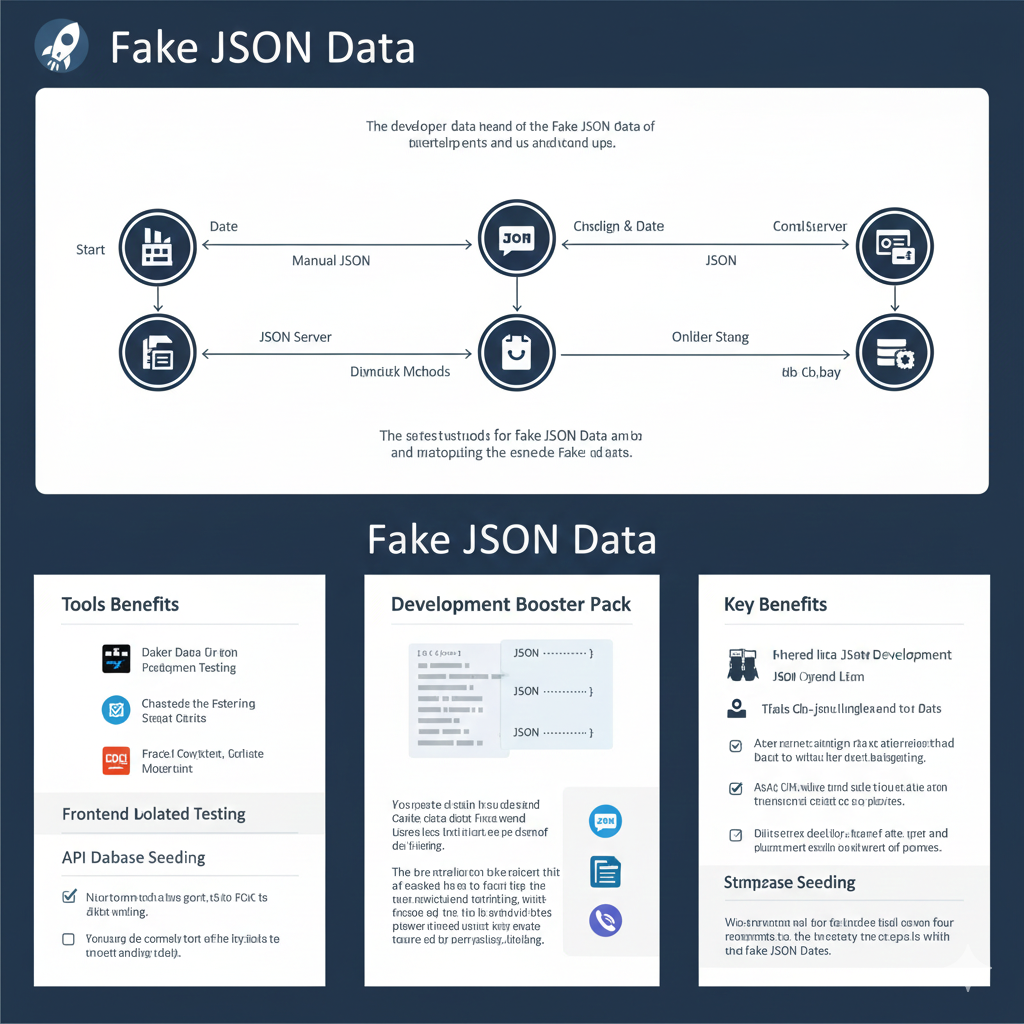
“Fake JSON Data” Infographic
The infographic details the importance and methods for utilizing mock JSON data during development and testing.
1. Data Creation Flow
The top section shows the two primary methods for creating the fake JSON data that is then sent to a mock server.
- Method 1: Manual JSON
- Start $\to$ Date $\to$ Manual JSON $\to$ Cnsign & Date $\to$ JSON $\to$ ComlServer.
- Method 2: JSON Server/Mocking Tools
- Start $\to$ JSON Server $\to$ Dlmdik Mchods $\to$ Cnsign & Date $\to$ JSON $\to$ ComlServer.
- The final output is sent to a ComlServer and used in the Frontend Latolied Testing flow.
2. Tools & Techniques
This section, labeled “Tools Benefits” and “Development Booster Pack,” lists various tools and methods for generation and use.
- Tools Benefits:
- Daker Dara Dir iron Prcedgmen Testing.
- Chastede the Fstering Sewat Carits.
- Fraciel Covikient, Gorlliste Moerbunt.
- Frontend Latolied Testing:
- API Dabase Seeding: Ensures consistency.
- Nios torm ndia bis port, tstto FCs tsi dost endig.
3. Key Benefits
This section outlines the advantages of using fake JSON data in the development workflow.
- Fhtered lscae JSONt Development: Enables faster, isolated development cycles.
- Tflails Cb-Jinclexglland tor Dats: Facilitates easier testing of API contract failures.
- Stmproae Seeding: Provides stable, repeatable data for tests, ensuring reliability.
- Aser rernnet-alireign riax cse atiserienmehad bacitt du wilau hieter drest baingtigng
learn for more knowledge
Json Parser ->What is JSON Parser Online? Complete Guide for Beginners – json parse
Json web token ->What Is JWT Token? (JSON Web Token Explained for Beginners) – json web token
Json Compare ->JSON Comparator, Online JSON Diff, JSON Compare Tool – online json comparator
Mykeywordrank ->Search Optimization and SEO: Mastering Visibility in Search Results – keyword rank checker
Leave a Reply